
Roles, groups and scoped permissions.
Each permission carries a scope that decides how far it reaches through the reporting tree, so access follows the org rather than a flat list.
Capabilities
How access is built
Roles as bundles of permissions
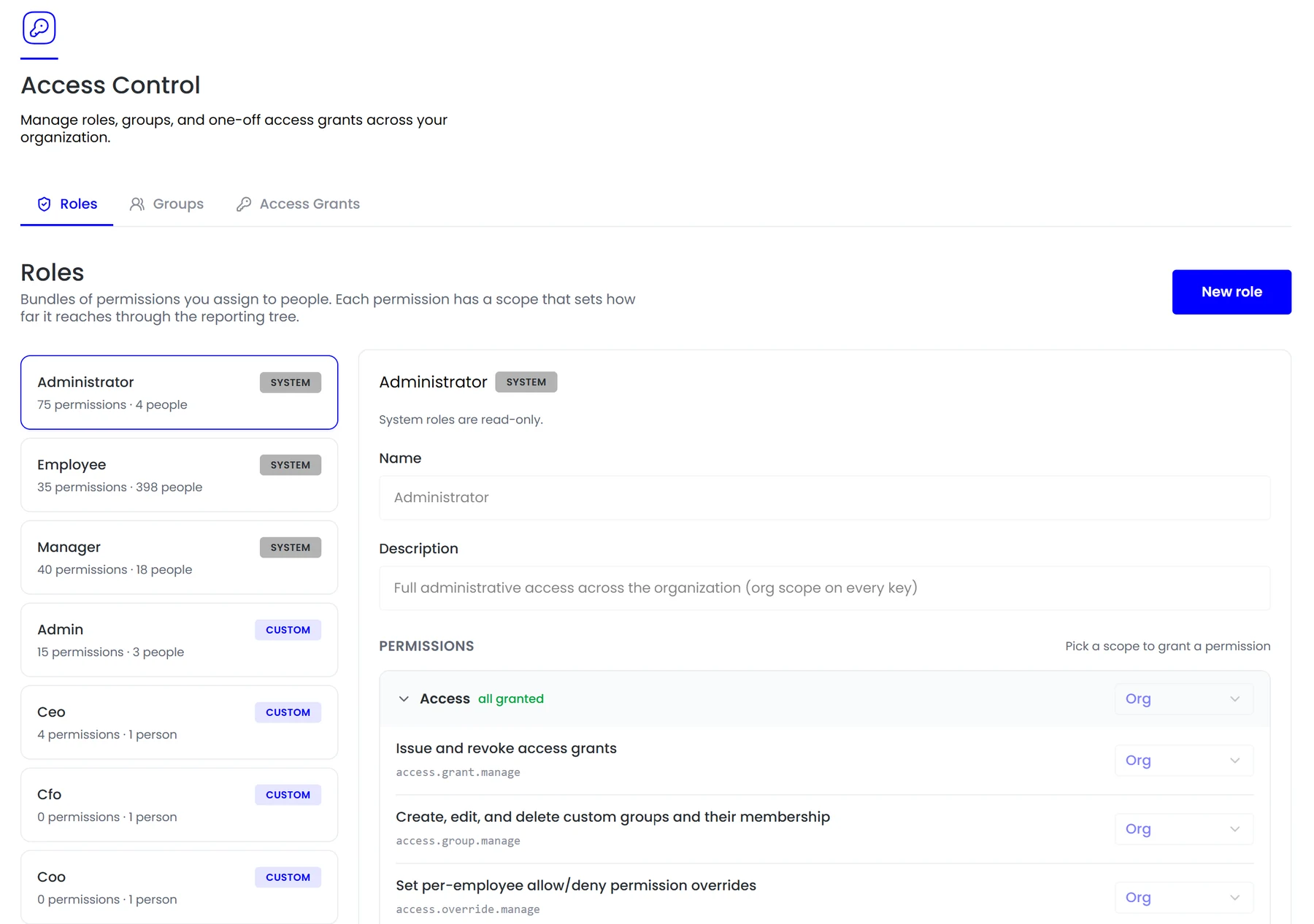
System roles for the common cases and custom roles for the ones specific to you, each showing how many permissions and people it covers.
Scope per permission
Self, team or organisation, set on each permission individually rather than inherited wholesale from the role.
Groups
Collections of people that cut across the reporting tree, for the cases where the org chart is not the right grouping.
Access grants and overrides
One-off grants and per-employee allow or deny overrides, for the exceptions every organisation eventually has.
In the product
System and custom roles, each permission with a scope from self to team to organisation.
Most permission systems answer the wrong question. They ask what someone can do, when the harder question in an HR system is how far it reaches.
- Roles as bundles of permissions
- Scope per permission
- Groups
- Access grants and overrides
How it fits together
Scope is the part most permission systems get wrong
Most permission models answer what someone can do. In an HR system the harder and more consequential question is how far it reaches, because the same action means very different things at different scopes.
- Roles
- Scope per permission
- Grants and overrides
Access control
Scope is the hard part
A manager approving leave should see their own team, not the whole company. Teamio attaches a scope to each permission so that distinction is enforced rather than assumed.

By the numbers
What it looks like in practice
Whatever a person can reach, the agent acting for them can reach, and nothing more. The permission model is not bypassed by asking the agent instead.
3
Scopes: self, team, organisation
Per permission
Scope set individually
Groups
Cutting across the org chart
Immediate
Changes apply to the agent too
In practice
Designing a role that is not too broad
The sequence below is how most organisations end up with access that is correct rather than merely convenient.
Start from the job
What does this person actually need to do, rather than which existing role is closest to hand.
Pick the permissions
The specific actions, not a bundle chosen because it covers everything they might one day need.
Set the scope on each
Self, team or organisation, decided per permission. This is the step most commonly skipped, and it is the one that decides reach.
Handle the exceptions separately
A one-off grant or a per-employee override, rather than widening a role for everyone because one person needed more.
Review what people hold
Each role shows its permission count and the people holding it, and grants are listed apart from roles so exceptions do not hide inside them.
Compared
The same permission at three scopes
Identical capability, very different reach.
FAQ
Common questions
What is the difference between a group and a role?
A role is a bundle of permissions. A group is a collection of people that cuts across the reporting tree, for the cases where the org chart is not the right way to describe who needs something.
Do access changes apply immediately?
Yes, including to the agent, which reads the current permission set on every request rather than caching it for a session.
Can we audit who has access to what?
Each role shows its permission count and the people holding it, and grants and overrides are listed separately so exceptions do not hide inside a role.
See it running on your own data.
We will show the module working against records that look like yours, not a generic demo.
Explore more
Security & Compliance
Encryption in transit and at rest, role-based access you control, and an audit log covering…
Employee Records
Reporting lines, entities, locations and roles on one record that payroll, attendance, leave…
Meet Tio
The agent that acts on your records rather than just answering questions.